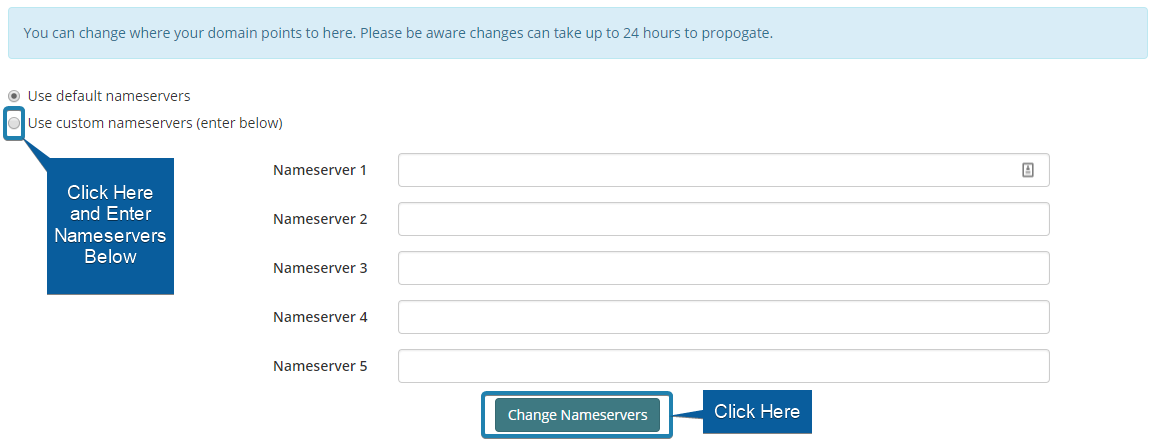

1. Log in to your Purely.Domains account.
2. Go to your My Domains page.
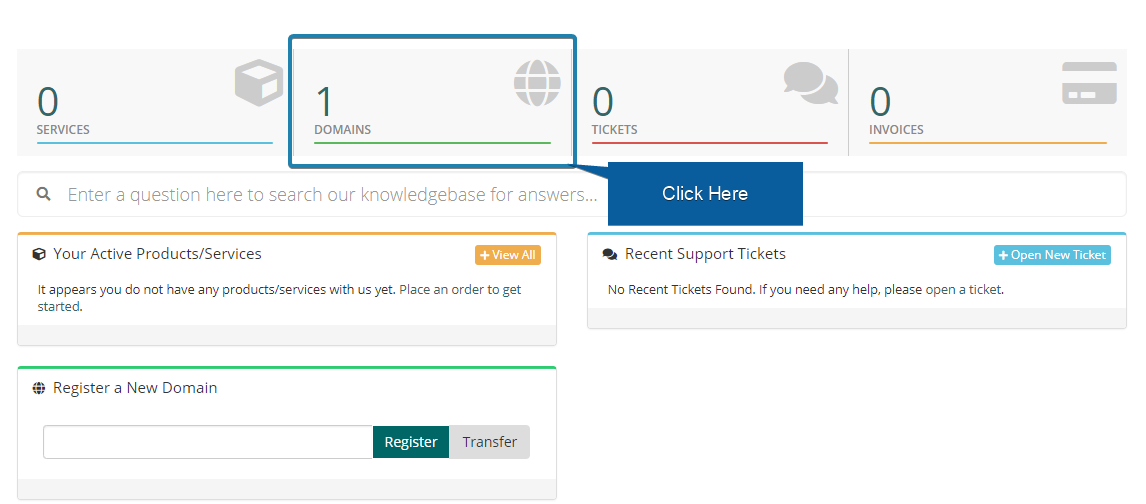
3. Next to the domain you wish to manage, click the arrow shown below to lower the drop down menu and click 'Manage Nameservers'.
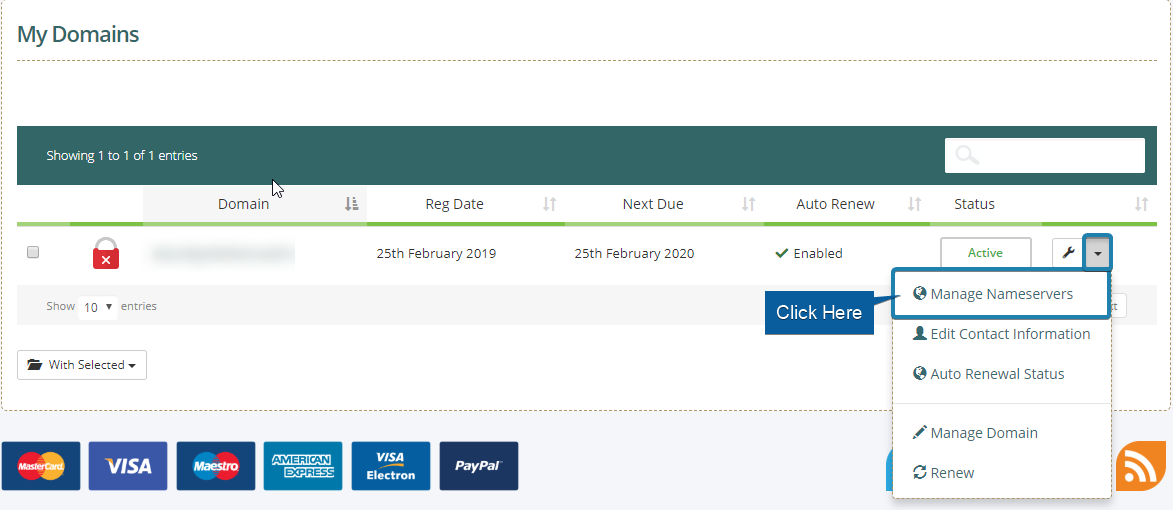
4. Here you can select our nameservers by clicking 'Use default nameservers', or you can enter your own custom nameservers, as shown below.