

This section is for managing your DNS zones within the Purely.Domains control panel.
Please note to make use of this service you domain names must be using the following nameservers:
- a.pipe.co
- b.pipe.co
Please see this guide for updating your nameservers.
How to create a DNS zone.
- Login to your purely.domains control panel
- In the main menu, click Tools, then Manage DNS
- You will see a list of your domain names

- Click Add New Zone
- Select your domain from the drop down
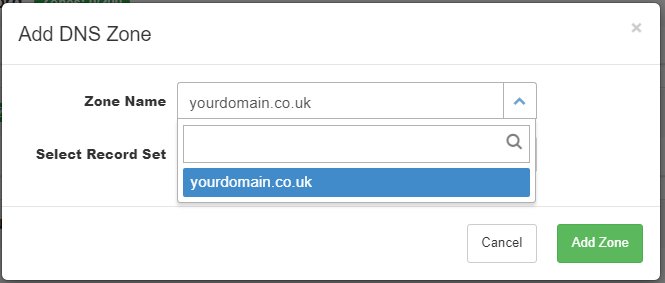
Leave the Record set as Default Set, click Add Zone 
You've now created the DNS zone for your domain. Now we can begin to add the DNS records.