

Please note: Before proceeding you will need to ensure you have created a DNS zone.
- Click on the edit icon next to your domains DNS zone
- Click the blue Add Record button
- Set Type to AAAA
Name:Enter @ to make use of your main domain, or enter .something. to add this as a subdomain.
TTL: Set how many seconds will elapse before the record is refreshed in the DNS cache. The default record is normally fine.
RDATA: Enter the IPv6 of the web server. E.g 2001:0db8:1234::c0a8:0001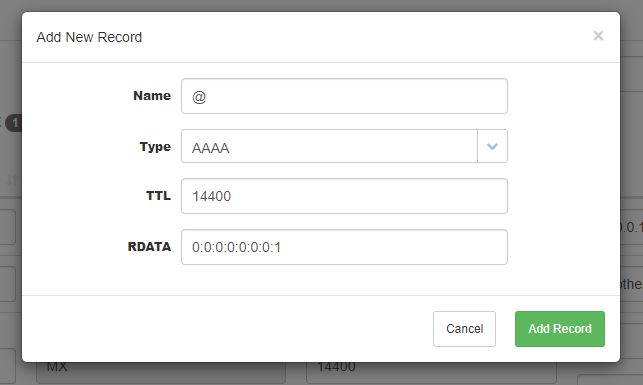
- Click the green Add Record button.
That's it. You've now created an AAAA record. Please note any DNS changes can take up to 24 hours to apply.